Simplifying deployment into quick deploy and adding application env management
In this commit, I worked on simplifying the deployment flow quite a bit…
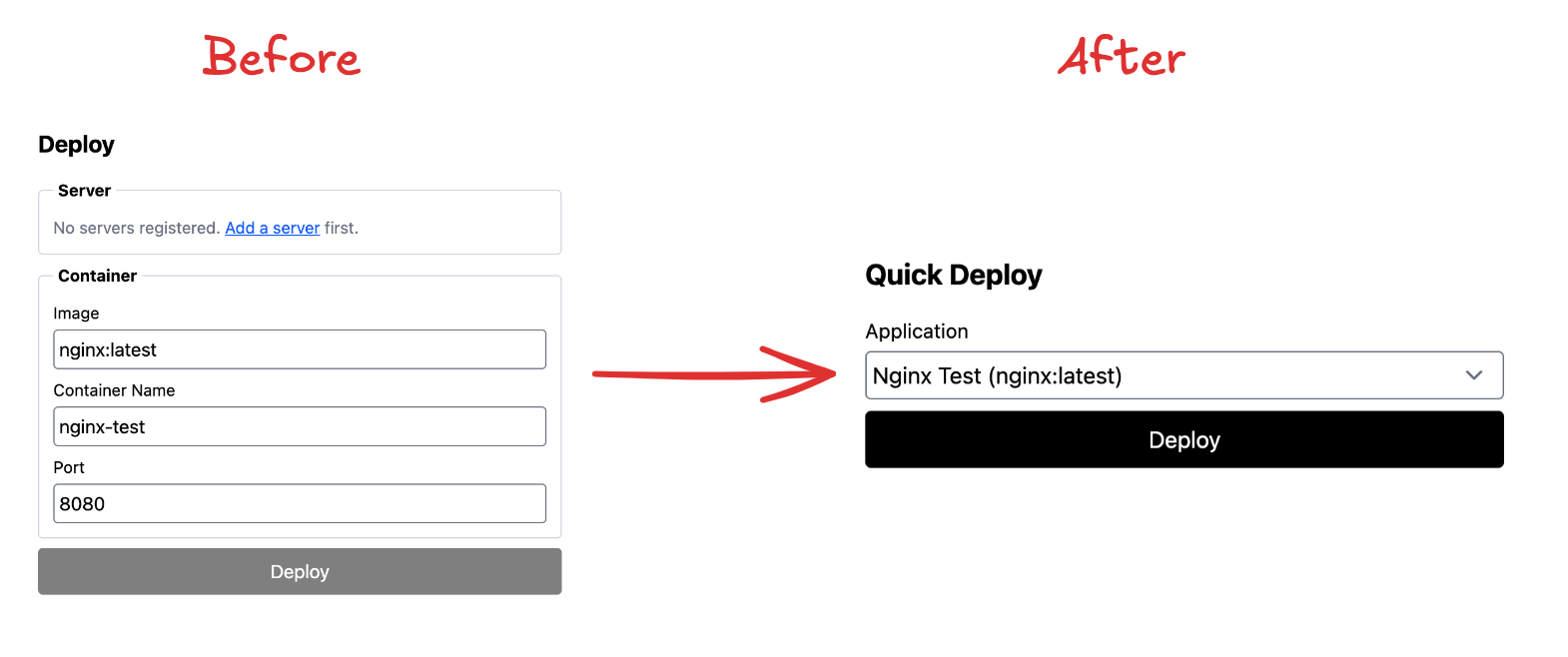
The main change here was turning deployment into more of a quick deploy flow. Before this, users still had to manually fill in things like container image, container name, and container port every time they wanted to deploy. That technically worked, but it felt too low-level and repetitive for the kind of product experience I want.
So I changed the flow.
Now the user only needs to choose an application and click the deploy button. Much simpler.
The reason I separated application from deployment is because I want applications to become their own standalone concept in the product. An application is not just “something to deploy” — later it should also hold its own configuration, especially environment variables. For example, if a user has a backend app, it will probably need things like DB_URL and other runtime config. That is why, in this same commit, I also added application environment variable management.
From a product design perspective, this separation feels much cleaner to me. Deployment becomes the action, while application becomes the thing being managed.
Here is roughly how the UI changed after that refactor:
I also recorded a demo for this change. While testing it, I hit an error during deployment: permission denied while trying to connect to the Docker daemon socket at unix:///var/run/docker.sock
That happened because the VM user I entered in the server config — WahyuS002 — did not have permission to run Docker commands yet. So even though the SSH connection itself was fine, that user still could not actually execute Docker on the target machine.
To fix that, I ran sudo usermod -aG docker WahyuS002 on the VM, then exited the session and logged in again so the group change would take effect. After that, I verified it by running a Docker command like docker ps as WahyuS002, and it worked.
Once that was fixed, I went back to the browser and clicked the Deploy button again. This time, the deployment succeeded. My nginx-test application was deployed successfully, and when I checked the VM with docker ps, the container was really there and running.
Here’s the demo video…
One thing I noted from this build log is that there is still an extra setup step users need before they can deploy properly: they have to run sudo usermod -aG docker <user> on the target VM. To me, that is pretty bad UX. It means the platform still depends on manual server preparation that users could easily forget.
So a likely next step is adding a required one-time bootstrap script when a VM is first connected. That way, the machine can be prepared properly from the beginning, and users do not have to deal with these avoidable setup steps later.